Learn How to Use the Graphical Interface
The Netuno interface is divided into two work areas, with specific and different purposes. The view mode for interacting with and displaying the result of the final application (Frontend), and the build mode for developing your application.
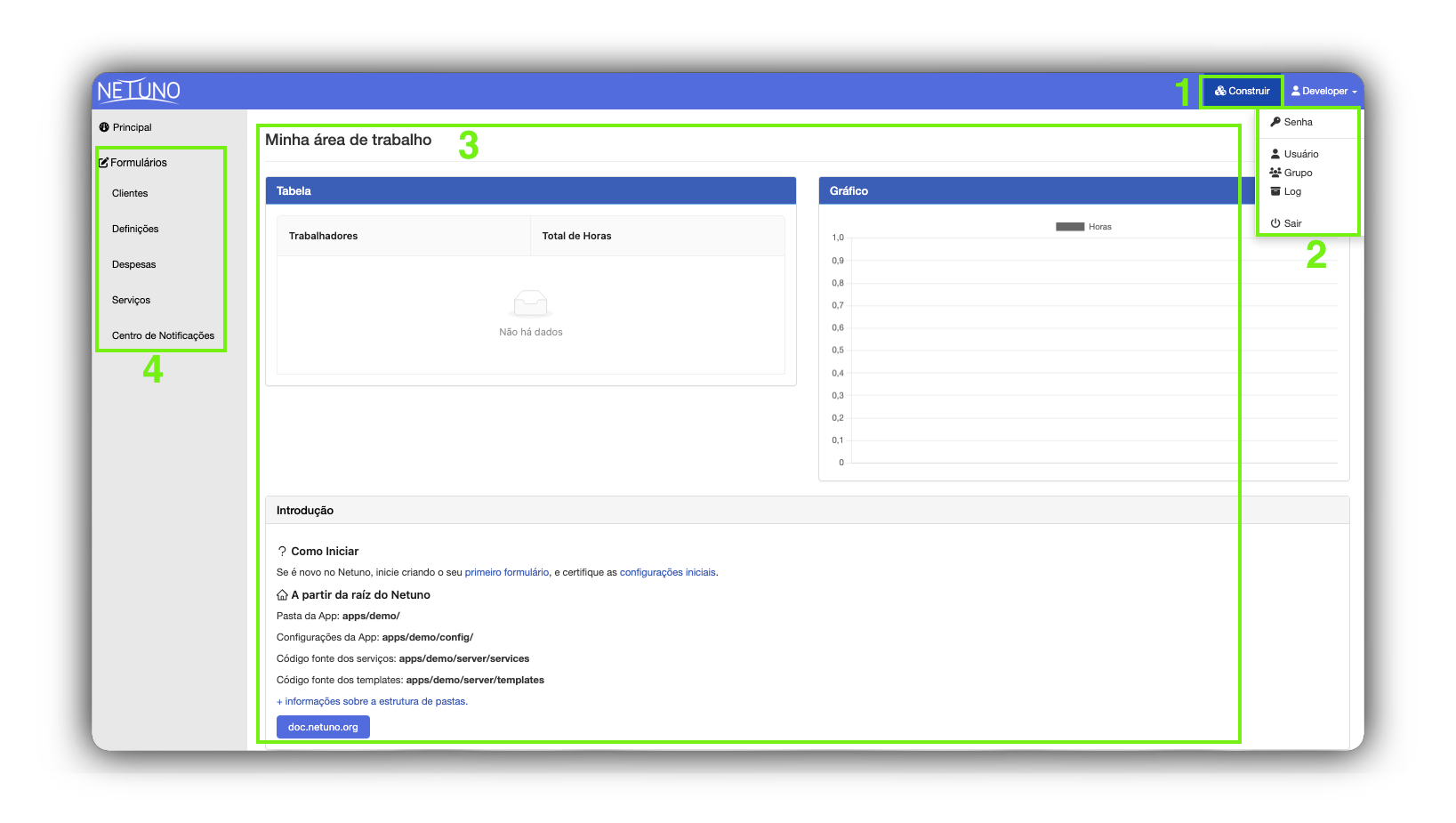
View
This is the frontend environment where users interact with the visual part of the application.
1 - Build
This button allows you to access the application's development mode.
2 - Dropdown menu
Allows you to select options to manage your session, such as logging out, changing your account password, and viewing data about your user and groups.
3 - My workspace
This is the central area, where your frontend web application, programmed in the public folder, is displayed.
4 - Tables forms
In this area, you find access to all data tables. Click to view, add, edit, or delete data directly through forms.
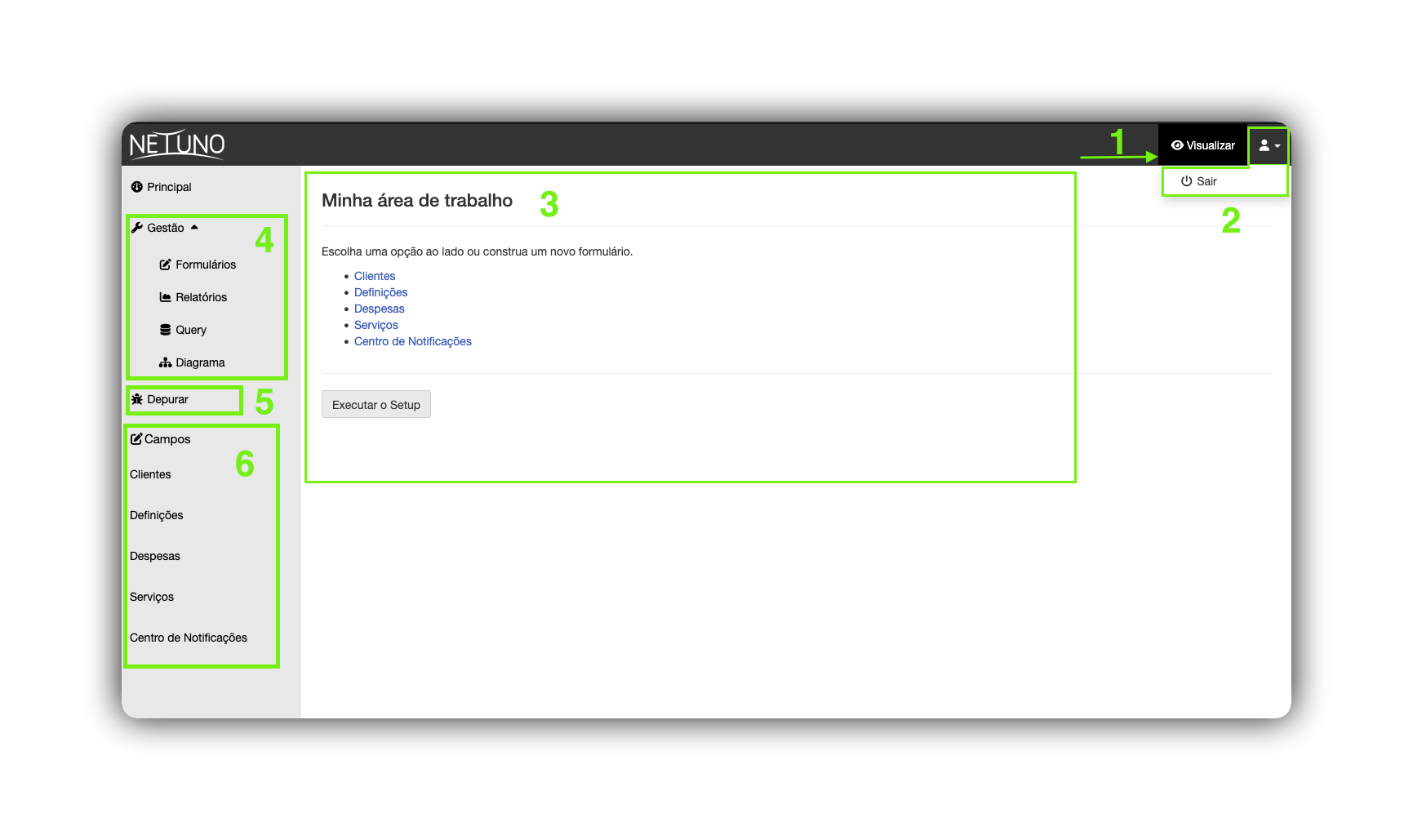
Build
It is the low-code environment where you configure and manage all aspects of your application without the need to write extensive code.
1 - View
Allows you to immediately return to "View" mode to check the impact of your changes in real time.
2 - Dropdown menu
Allows you to exit the application.
3 - My workspace
This is the central area, where your frontend web application, programmed in the public folder, is displayed.
4 - Management
This section allows you to manage forms, reports, queries, and diagrams.
5 - Debug
This section enables monitoring and inspection of script behavior at runtime. Thus, it is possible to identify problems, track variable values, and understand the code's execution flow.
6 - Field management
This section allows you to manage the structure of your data tables. You can add, edit, or remove fields and define the data type (text, number, date, etc.) for each one.